

10 Ways to Make Money Using Your Phone and Earn Back Its Cost
10 Practical Ways to Make Money Using Your New Phone: How to Earn Back Your Phone's Cost Buying a new phone is exciting. Whether you bought it for personal…
Read MorePractical articles that sit next to the tools — how the numbers work, and when they do not.
This page lists the articles on Web4pps. Each post sits next to a calculator, converter, or utility on the same topic: how the numbers work, where the method comes from, and when the model does not apply. There is no magazine separate from the tools. Open a title, read the excerpt, and follow Read More for the full piece. Search looks at titles. A category badge on a card narrows the list to posts in that group. Results and examples in an article are for planning and education. They are not legal, tax, medical, or investment advice.
The cards below are the catalog of posts. Each card shows a thumbnail, category badges when those exist, a title, an excerpt, and a Read More link. Search filters by title only, so a phrase that appears in the body of a post but not in the title will not match. A category badge opens this page with that category in the address. Open Articles with no category query to see the full list again.
Each post has a stable path under this section, so a bookmark or a shared link opens that article directly. The header and footer use the same destination. A visit can also start from the home page, which surfaces recent articles next to popular tools. This listing is for scanning the archive: filter by topic, then open the post whose title matches the question you brought.
Web4pps keeps working calculators on Web Applications and the written method here. A tool page is the place to type inputs and get a figure. An article is the place to read what that figure means, which table or formula produced it, and which cases the model leaves out. The two are meant to be used together rather than as a blog on one side and a toolbox on the other.
Topics follow the same groups as the tools. Personal finance posts sit next to contribution, savings, loan, and household cost calculators. Health posts sit next to public formulas such as BMI and calorie estimates. Software and utility posts sit next to converters and generators. When a post names SSS, Pag-IBIG, WHO, or a published equation, it is using that source as a reference. It is not speaking for that organization.
Read the article when you want the steps in sentences, including a worked example or a limit that is easy to miss on the calculator itself. Return to the matching tool when you want to change an input and see the number move. If an article states a method that does not match the tool on the same topic, send both URLs through Contact so the two pages can be compared.
A contribution example is not a billing statement from SSS or Pag-IBIG. A BMI or calorie figure in a post is not a diagnosis or a diet plan. A profit or loss walk through is not a recommendation to buy or sell. Official amounts, medical decisions, and investment choices belong with the agency, clinician, or licensed professional who can see the full record.
Tables and rates change. A post states the method it uses at the time it was written. If an official table is updated and the article or the matching calculator has not yet been revised, the explanation can lag the current rule. Rounding, tax treatment, and what counts as a contribution base can also differ from a payslip or a bank statement. When a post notes a withholding rate, a contribution bracket, or an exclusion, read that note before treating a sample output as the amount you will actually pay or receive.
Web4pps is a public toolbox, not a bank, clinic, law office, or brokerage. It does not open accounts, hold funds, issue official documents, or replace the agencies and professionals whose tables and formulas the calculators follow. Articles inherit that limit. They explain a public method. They do not take your case.
If a post looks wrong, include the article URL, the sentence or figure that seems off, and the source you expected it to follow. If the mismatch is with a calculator, include that tool URL as well. Prefer Contact so the inquiry type, title, email, and message arrive together. A reply goes to the address you enter on that form.
The same path works for a broken layout, a link that goes nowhere, or an excerpt that no longer matches the post. There is no separate editorial staff listed on About. That page explains who operates Web4pps, how a visit works, and where questions go.
How the site collects, uses, and protects information is written on the Privacy Policy. Rules for using the site, including the articles and the calculators they sit next to, are on the Terms of Service. Both documents are linked in the footer on every page. After you finish a post, the matching tools remain on Web Applications.
10 Practical Ways to Make Money Using Your New Phone: How to Earn Back Your Phone's Cost Buying a new phone is exciting. Whether you bought it for personal…
Read More
Are NFT Games Dead? The Pros and Cons of Blockchain Gaming Remember when NFT games were everywhere? A few years ago, people were talking about earning mone…
Read More
You downloaded a loan app because you needed money quickly. Maybe it was for an unexpected bill. Maybe your paycheck was late. Maybe your car needed a repa…
Read More
Getting a loan through an app can be incredibly convenient. You can apply from your phone, upload a few documents, wait for approval, and sometimes have th…
Read More
Online loans have made borrowing money much easier. With a smartphone and an internet connection, borrowers can apply for a loan without visiting a bank or…
Read More
Online loans have become increasingly popular in the Philippines. Instead of visiting a bank branch, filling out several forms, and waiting days or weeks f…
Read More
Online lending has made it easier than ever to borrow money. With just a smartphone, an application, and a few documents, some lenders can offer borrowers…
Read More
When choosing between an SSD and an HDD, one of the most common questions people ask is: Which one lasts longer and works longer? SSDs are faster, quieter,…
Read More
If you have been watching YouTube growth videos, you have probably seen titles like: “Get 1,000 Subscribers in 30 Days!” “I Got Monetized in 2 Weeks!” “How…
Read More
Borrowing money to invest in dividend paying stocks can look attractive at first. If a loan has an interest rate of 8% per year and a portfolio of Philippi…
Read More
Day trading is often associated with large positions, borrowed money, and the possibility of making significant profits in a short period. But leverage is…
Read More
Artificial intelligence has been one of the biggest technology stories of the past few years. Companies have invested heavily in AI tools, automation, data…
Read More
Artificial intelligence has become one of the biggest technology trends in recent years. Companies are investing heavily in AI, developers are building AI-…
Read More
Fasting is more than simply starting a timer and waiting for it to finish. As you complete more fasting sessions, it becomes easier to identify patterns, m…
Read More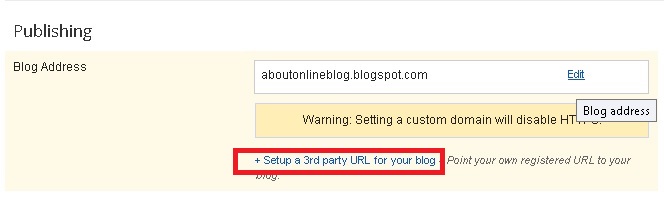
Blogger is the most common online blogging platform out there today being used by many, because it is easy to use, easy to add a theme, lots of free…
Read More
The cryptocurrency market moves fast. One month a project is trending across social media, and the next month people stop talking about it completely. Beca…
Read More
Over the past few years, intermittent fasting has become one of the most popular approaches to building healthier eating habits. Rather than focusing only…
Read More
What is MP2? MP2, or Modified Pag-IBIG II , is a voluntary savings and investment program offered by Pag-IBIG Fund. This is different from the regular Pag-…
Read More
Intermittent fasting is a simple way to improve one's eating habits and become more mindful of when I eat. Instead of focusing only on calories, fasting he…
Read More
I used to keep all my money in just one bank account. It was simple, but I wasn't maximizing the benefits that different banks offer. With the rise of digi…
Read More
Artificial intelligence is transforming the way software is built. With tools like Claude AI, Cursor AI, GitHub Copilot, and other AI coding assistants bec…
Read More